Symphony Orchestra Simulator Guides & Walkthroughs
From your first seat to concerto spotlights—every how-to in one hall.
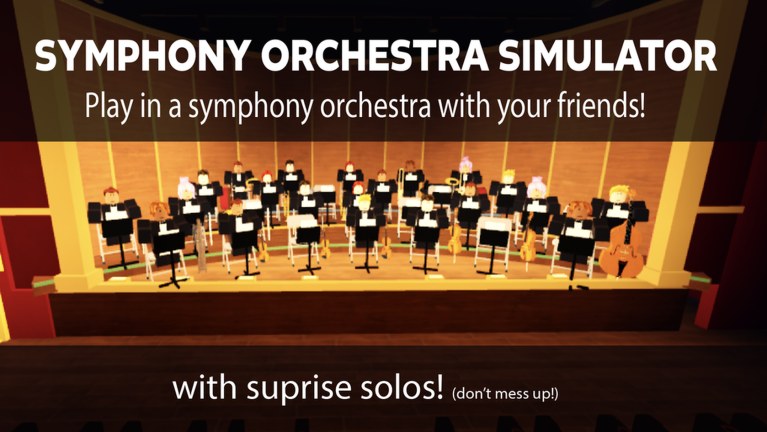
Welcome to the Guides Hub for Symphony Orchestra Simulator, the Roblox Music & Rhythm concert experience by merpug01. This page is the map of every practical walkthrough on the wiki: how to join a server, claim one of the 16 instruments, keep your seat song after song, vote on classical pieces, survive (or shine in) a solo spotlight, farm coins for flashy entrances, and read the room as an audience member.
If you only open one article today, start with Getting Started. It walks a first session from spawn to your first vote and first spotlight without assuming you already know the hall layout. After that, branch into the topic you care about—solos, coins, controls, or the song list.
Core guides (start here)
- Getting Started — first-session checklist, seat claiming, and what to do in your first 15 minutes.
- How to Solo — spotlight reactions (cheers, roses, boos, tomatoes), concerto requests, and stage presence tips.
- Earn Coins — how coins feed solo entrances (confetti, fireworks, lightning) and steady farming habits.
- Controls — movement, seats, voting UI, audience actions, and what to confirm in Roblox settings.
- Songs and Voting — Ode to Joy, Can-Can, Canon in D, Swan Lake, In the Hall of the Mountain King, Flight of the Bumblebee, plus November session sightings.
Featured systems guides
- Request a Concerto — five center-stage solos while the hall watches.
- Audience Mode — theatre seats, roses, tomatoes, and support etiquette.
- Solo Entrances — unlock order for confetti, fireworks, and lightning.
How sessions usually flow
Servers support up to 35 players in online multiplayer. Most of the loop is social and rhythmic rather than combat-driven: you pick an instrument seat (violin, cello, trumpet, flute, harp, timpani, and more), play through voted pieces, and occasionally get pulled into a solo spotlight while the rest of the orchestra pauses. The crowd can cheer and throw roses—or boo and throw tomatoes—so stage awareness matters even when you are not “winning” a PvP fight.
Between pieces, song voting decides what the hall plays next. Popular classical picks rotate through the lobby vote, and knowing which songs keep the room engaged helps if you care about lively servers versus chill practice rooms. When you want a bigger spotlight, you can pursue a concerto request: five solos at center stage while the hall watches. Coins unlock showier solo entrances—confetti, fireworks, lightning—so progression is less about gear scores and more about presence and flair.
Audience seats are part of the fantasy too. Not every visit needs to be an instrument run; sitting in the crowd, cheering, and throwing roses is a valid way to hang out with friends, film clips, or wait for a better seat to free up. Pair this hub with the Players Hub for etiquette and friend-finding tips, and the Tools Hub when you want a practical seat-planning checklist before you join.
Related hubs worth opening beside guides
- Codes — no verified promo codes at last check; keep the page bookmarked for launch drops.
- Tier List — instrument and seat priorities when you want a stronger or flashier role.
- Players — community etiquette, Discord callouts from the game description, and how to group with friends.
- Updates — October 2026 launch notes and future patch tracking.
- Tools — including the Seat Planner checklist for session goals.
- Official Links — Roblox game page, creator merpug01, and wiki navigation.
How to use this hub efficiently
New players should read guides in this order: Getting Started → Controls → Songs and Voting → How to Solo → Earn Coins. Veterans who already know the hall can jump straight to solos and coins, then skim voting when a new piece appears in the rotation.
When you finish a guide, follow its internal links instead of bouncing back to search. Each leaf page cross-links the others on purpose so you can move from “I claimed a seat” to “I want a lightning entrance” without losing context. If something in-game disagrees with a tip—especially keybinds—trust the live Roblox settings menu and report changes on the Updates Hub once a patch lands.
Symphony Orchestra Simulator rewards patience, timing, and social awareness more than raw click speed. Treat these guides as rehearsal notes: they will not play the violin for you, but they will keep your first night in the hall from feeling like a cold audition. Bookmark this hub, open Getting Started, and take your seat when the next piece begins.
Frequently Asked Questions
Quick answers to the most common questions.
Which guide should I read first?
Start with Getting Started, then skim Controls and Songs and Voting before chasing solos.
Do these guides cover codes and tier lists?
Is Symphony Orchestra Simulator single-player?
No. It is online multiplayer with up to 35 players per server—bring friends or join a busy hall for better voting energy.
Where are patch notes?
See the Updates Hub and the October launch notes for the 2026-10-21 release baseline.